 Groundhopper
Start free
Groundhopper
Start free
How to log a match in Groundhopper
Thirty seconds, six fields, and the distance works itself out. Step by step, with the actual screens.
Before you start
You need an account, and it helps to have set a home city — Groundhopper measures every away day from there. If you skipped that during setup, add it in Settings before you log anything, otherwise the distance column stays empty and the map has nothing to draw lines from.
Nothing else is required. Adding matches is part of the free Starter plan, which holds ten of them.
Step 1 — Open the form
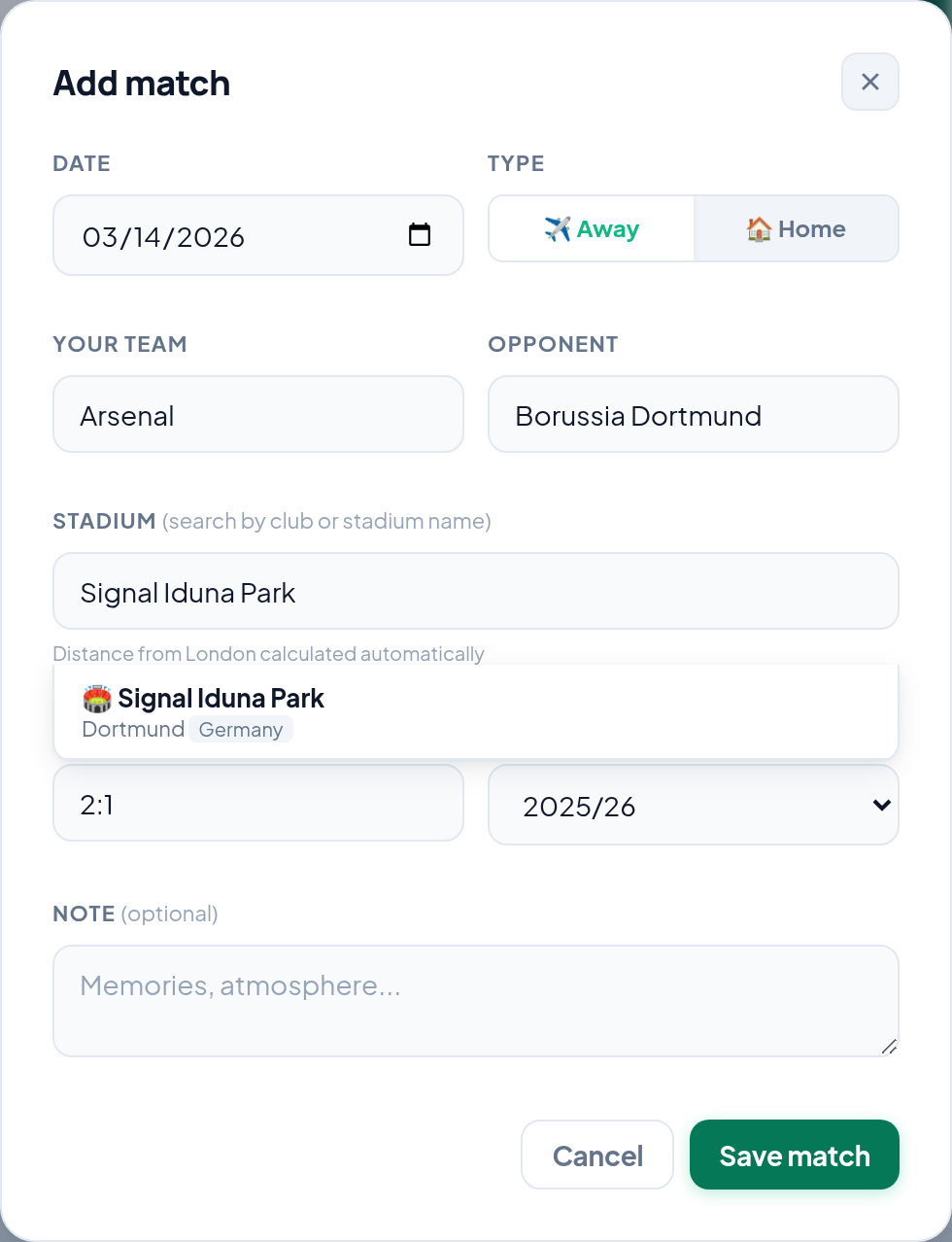
Tap Add match. The button sits in the top right of every screen inside the app, so you do not need to be on a particular page first.

Step 2 — Date and type
Pick the Date of the match. If you are logging something from years ago and you are not sure of the exact day, use the closest date you can stand behind — a match with an approximate date still counts; a match you never added does not.
Then choose Away or Home. This matters more than it looks. Twenty home games are twenty matches but one ground and almost no travel, so Groundhopper keeps the two apart to stop a season ticket inflating your kilometres.
Step 3 — The teams
Put the side you follow in Your team and the other one in Opponent. For a neutral-ground match — a final, a tournament game — put whichever side you were there to watch in the first field.
Step 4 — The ground
The Stadium field searches by club name or stadium name, so you do not have to know which ground a club plays at. Type Dortmund and you get Signal Iduna Park; type Signal Iduna Park and you get the same thing. Pick the suggestion rather than leaving free text — that is what links the match to a real place with coordinates, and it is what makes the map and the distance work.
Step 5 — Score, season and a note
Score takes a simple 2:1. Season is worked out from the date — a match from May 2019 files itself under 2018/19.
Note is optional and it is the field people regret leaving empty. Scores are recoverable from the internet forever. Who you went with, what the weather did, why the trip nearly did not happen — those are not. Two lines are enough.
Step 6 — Save
Tap Save match. The match appears in your list straight away, the ground is added to your collection, and the route from your home city appears on your map.
What happens next
Three things update on their own: your match list, your stadium count — a second visit to the same ground does not count twice — and your journey map, which now has one more line on it. The kilometres and the number of countries recalculate from the grounds you have logged.
The map is the reason most of this exists: a list of fixtures is a record, but the same rows drawn from your home city are a shape you recognise. See what the journey map does.
Common problems
The ground I need is not in the search
Try the club instead of the stadium, and the local spelling before the English one. Smaller and non-league grounds are the likeliest gaps.
The distance looks wrong
It is measured from the home city on your account, not from where you actually set off that day. If you have moved, or you set the wrong city during setup, fix it in Settings.
I logged the same match twice
Open the match from your list and delete the duplicate. Your stadium count will not have double-counted the ground, but the match count and the kilometres will.
I put the teams the wrong way round
Open the match and edit it. Nothing else has to be redone — the ground, and therefore the map and the distance, does not depend on which team is in which field.
Where to start if you have years to catch up on
Not chronologically. Start with the matches you remember without effort, then the ones you can date from photographs, then the ones you can date from anyone you went with. Accept that the oldest entries will be a year and a ground with no score. That is still infinitely better than the gap, and you can always sharpen it later.